



Prepare the records first
Review completed maintenance, repairs, recalls, open issues, projects, photos, attachments, and seller notes before you start sending links to buyers.
Sale checklist
A clean sale is easier when the vehicle, records, photos, paperwork, and digital handoff are ready before the buyer shows up. Wrenzo helps connect those pieces so the sale does not depend on scattered notes.
Record cleanup
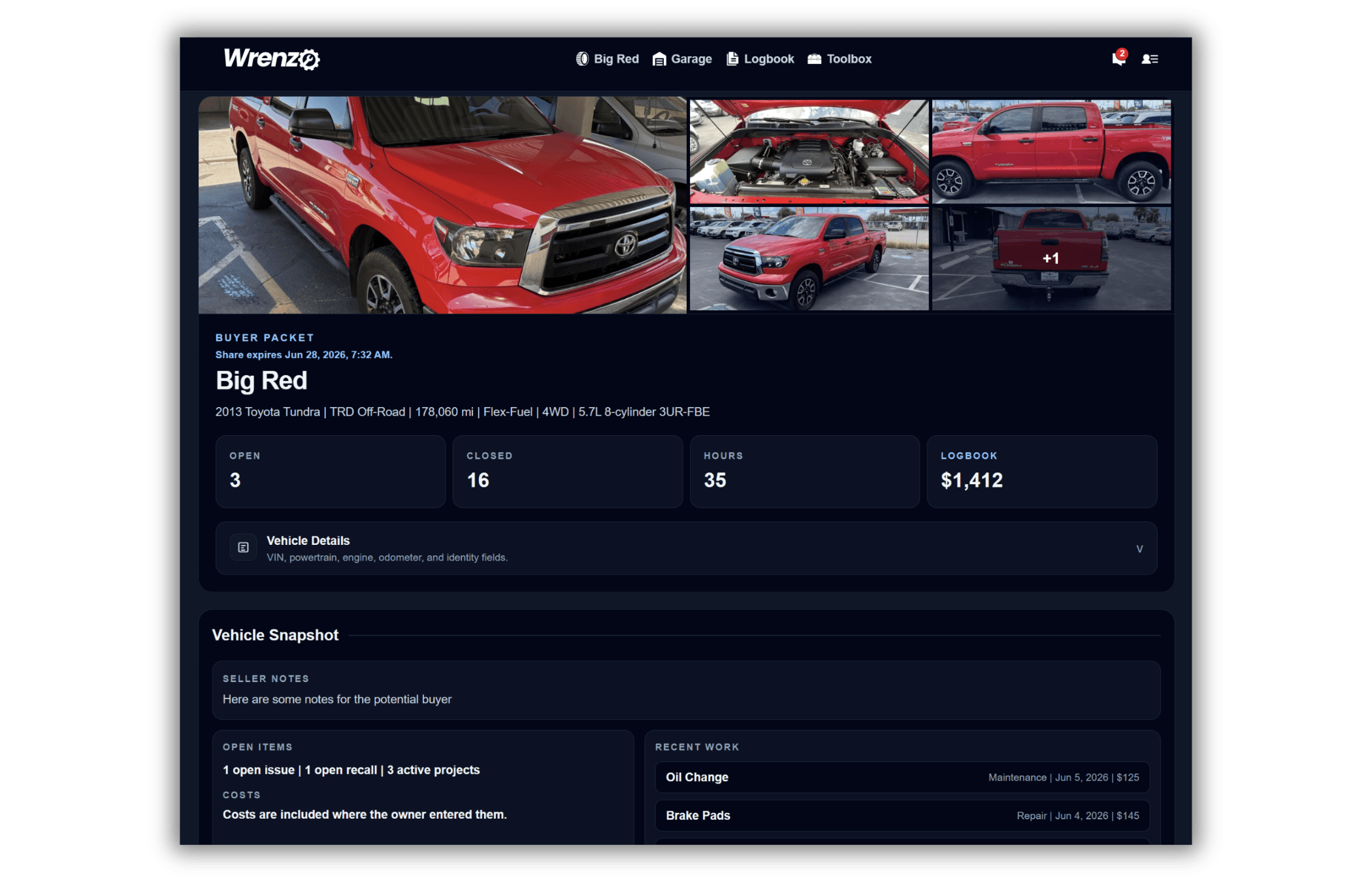
Buyer packet
Bill of sale
Transfer handoff
Review completed maintenance, repairs, recalls, open issues, projects, photos, attachments, and seller notes before you start sending links to buyers.
A buyer packet is for read-only review before or during the sale. A bill of sale is paperwork. A Wrenzo vehicle transfer is the account-to-account handoff after ownership changes.
After the sale, previous-vehicle records and transfer proof can help you remember what was sold, when it moved, and what record was handed off.
Step 1
Update photos, maintenance records, open items, and attachments.
Step 2
Choose what the buyer can see, preview it, then send the link or QR code.
Step 3
Generate the bill of sale if needed, then transfer the live Wrenzo record after the sale is final.
Vehicle Sale Prep Checklist: Records, Photos, Packet, And Handoff
Use this vehicle sale prep checklist to organize maintenance records, photos, attachments, buyer packet settings, bill of sale paperwork, and transfer handoff steps.
How To Transfer Vehicle History To A New Owner
Learn the difference between a read-only buyer packet and a true account-to-account vehicle history transfer after selling a car.
How To Build A Better Vehicle Buyer/Seller Packet
Use a Wrenzo buyer/seller packet to share a clean read-only view of maintenance records, repairs, issues, projects, photos, attachments, and seller notes.
What Maintenance Records Help When Selling A Car?
See which vehicle records can help a buyer trust the car, including maintenance, repairs, receipts, intervals, issues, recalls, and fuel logs.
A useful checklist covers title and paperwork, maintenance records, receipts, photos, open issues, buyer questions, bill of sale, and digital record handoff.
Yes, when you are comfortable sharing them. A read-only packet lets a buyer review selected records without editing your Garage.
Yes. A Wrenzo transfer can move the live vehicle record into the new owner's account after the sale, while the seller can keep proof of the completed handoff.