Selling records

Maintenance Records When Selling A Car

A buyer wants to know whether a vehicle was cared for. Clean maintenance and repair records can make that story easier to inspect and easier to trust.

Wrenzo ownership tools showing imports, attachments, sharing, and transfers

Shareable history

Receipts and photos

Repairs and maintenance

Transferable records

Show completed maintenance

Oil changes, brakes, tires, batteries, belts, fluids, filters, and major repairs are easier to trust when dates, odometer, cost, and receipts are attached.

Be clear about open items

Open recalls, unresolved issues, or planned work should be visible instead of hidden. Transparency can reduce confusion during inspection.

Share without handing over control

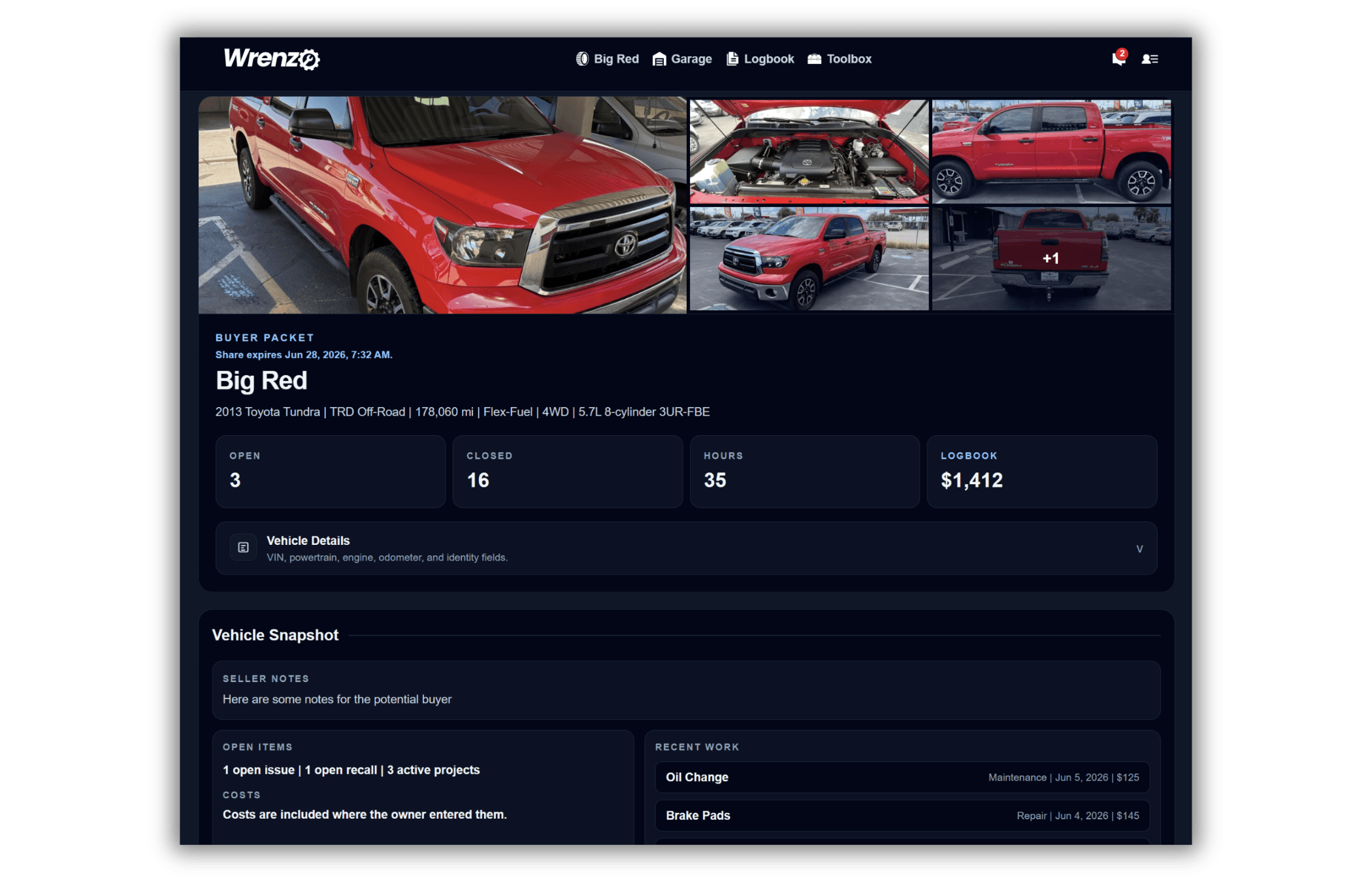
A read-only history can let a buyer or mechanic inspect records before any transfer happens. If the vehicle sells, the history can move to the new owner.

How It Works In Wrenzo

Step 1

Clean up the history

Review maintenance, repairs, recalls, open issues, odometer, receipts, and attachments before sharing anything.

Step 2

Share a read-only view

Let a buyer or mechanic review useful records without giving them edit access to your account.

Step 3

Transfer when ready

After the sale, a vehicle transfer can move the saved history to the new owner.

Related Guides

Common Questions

What maintenance records help when selling a car?

Show

Completed maintenance, repairs, receipts, odometer readings, parts, tire and brake work, major services, recall status, and open issue notes can all help.

Should I include unresolved issues?

Show

Yes. Clear notes about open recalls, planned work, or unresolved issues help prevent confusion and build trust.

Can I share records without transferring the vehicle?

Show

Yes. Wrenzo can create a read-only share so someone can review the history without taking ownership of the vehicle record.