



Move the live vehicle record
A Wrenzo transfer is not just a read-only share. When the recipient accepts the transfer invite, the saved vehicle record moves into the new owner's Garage with its maintenance history and ownership context attached.
Account-to-account transfer
Selling a car should not mean the maintenance history disappears. Wrenzo supports two different handoff steps: read-only buyer packets for review before the sale, and direct vehicle transfers that move the saved vehicle record into the new owner's Wrenzo account after the sale. When you need paperwork, Wrenzo can generate a simple bill of sale from the vehicle details you already saved.
Account-to-account transfer
Maintenance history
Bill of sale
New owner handoff
A Wrenzo transfer is not just a read-only share. When the recipient accepts the transfer invite, the saved vehicle record moves into the new owner's Garage with its maintenance history and ownership context attached.
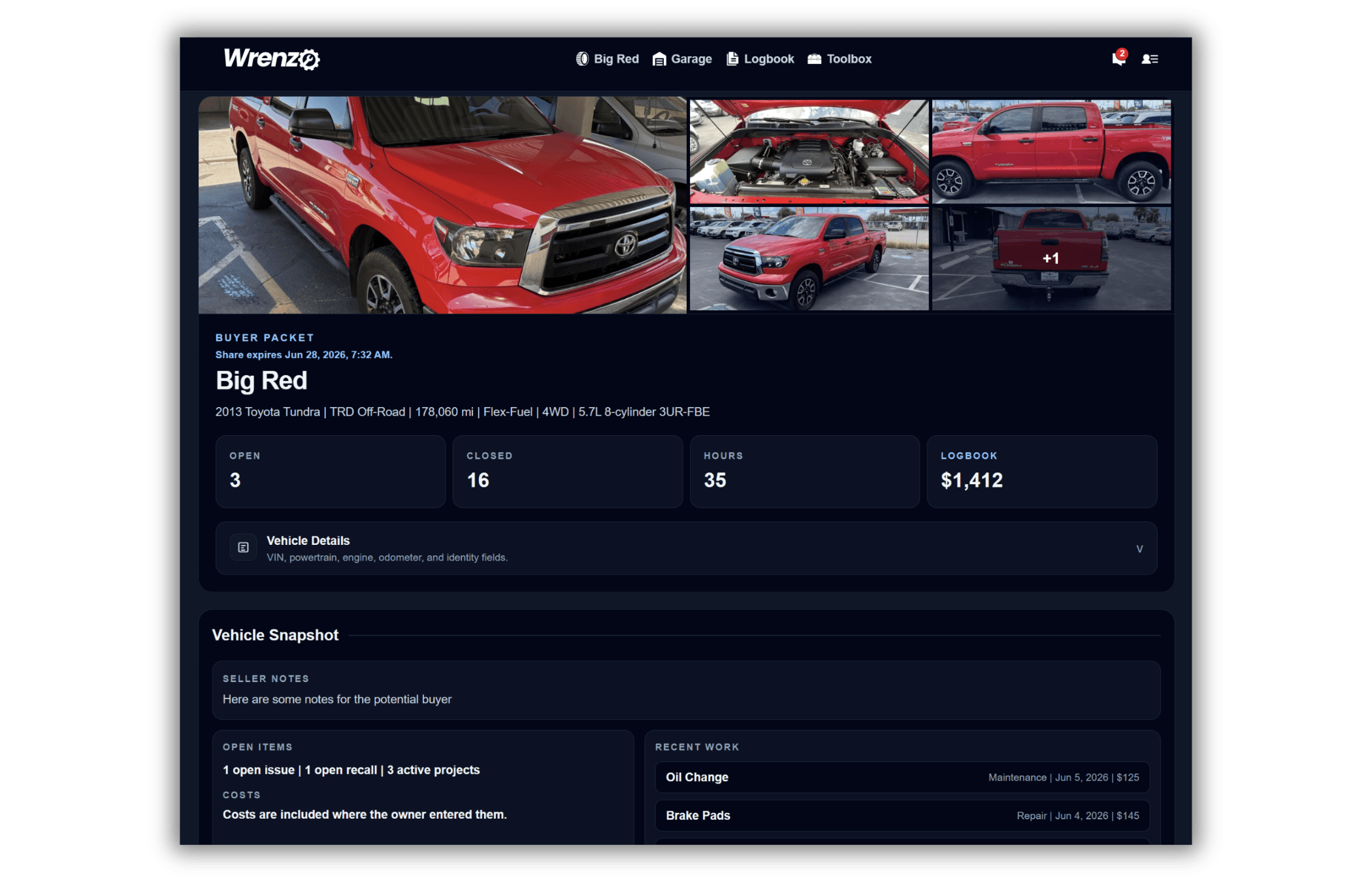
Read-only shares and buyer/seller packets are for review. They let a buyer inspect records without editing anything, and Wrenzo can generate a simple bill of sale when you need sale paperwork. After the sale is final, the separate transfer flow can hand off ownership access to the buyer's Wrenzo account.
The new owner can receive the organized vehicle context: completed work, reminders, fuel or charge logs, issue and project history, photos, attachments, and other records that make future maintenance easier. Before the handoff, the current owner can also download uploaded attachments as an organized ZIP.
Step 1
Create a read-only vehicle share or buyer packet if the buyer wants to review maintenance records before committing.
Step 2
Start a Wrenzo vehicle transfer and send the invite to the new owner's email. The vehicle is locked while the transfer is pending so the record does not drift. If you need sale paperwork, generate the bill of sale from the same handoff tools.
Step 3
When the recipient accepts, the vehicle and its saved history move into their Wrenzo Garage. The previous owner loses edit access after the transfer completes.
How To Transfer Vehicle History To A New Owner
Learn the difference between a read-only buyer packet and a true account-to-account vehicle history transfer after selling a car.
What Maintenance Records Help When Selling A Car?
See which vehicle records can help a buyer trust the car, including maintenance, repairs, receipts, intervals, issues, recalls, and fuel logs.
How To Build A Better Vehicle Buyer/Seller Packet
Use a Wrenzo buyer/seller packet to share a clean read-only view of maintenance records, repairs, issues, projects, photos, attachments, and seller notes.
Why Tracking Vehicle Maintenance History Pays Off
Learn why organized vehicle maintenance records help with repairs, resale, diagnosis, scan codes, ownership costs, and long-term confidence.
Yes. Wrenzo supports account-to-account vehicle transfers. A transfer invite lets the new owner accept the vehicle into their Wrenzo Garage with the saved maintenance history and vehicle context attached.
No. Buyer packets and vehicle shares are read-only review links. Wrenzo also has a separate transfer feature that can move the live vehicle record and saved history into the new owner's Wrenzo account.
Sharing creates read-only access for review. A buyer packet is a read-only share. Transferring is a separate ownership handoff that moves the saved vehicle record to the new owner's Wrenzo account after the sale.
Yes. You can create a read-only share or buyer/seller packet first, generate a simple bill of sale if needed, then transfer the vehicle history later if the sale goes through.
The vehicle moves to the recipient account, and the previous owner loses edit access to that vehicle record.