





About Wrenzo
Wrenzo is a vehicle ownership workspace for keeping symptoms, maintenance, repairs, reminders, attachments, imports, and records in one organized place. It helps turn confusing vehicle problems into clearer next steps while preserving the history that makes future decisions easier.
It is not here to replace a mechanic. It is here to help you describe what happened, remember what was done, and know what questions to ask when you inspect, repair, or bring a vehicle to a shop.
Wrenzo keeps privacy simple. It does not use marketing cookies or ad pixels, does not sell vehicle records, and gives you controls to export data, download attachments, manage shares, or delete saved Wrenzo data when needed.
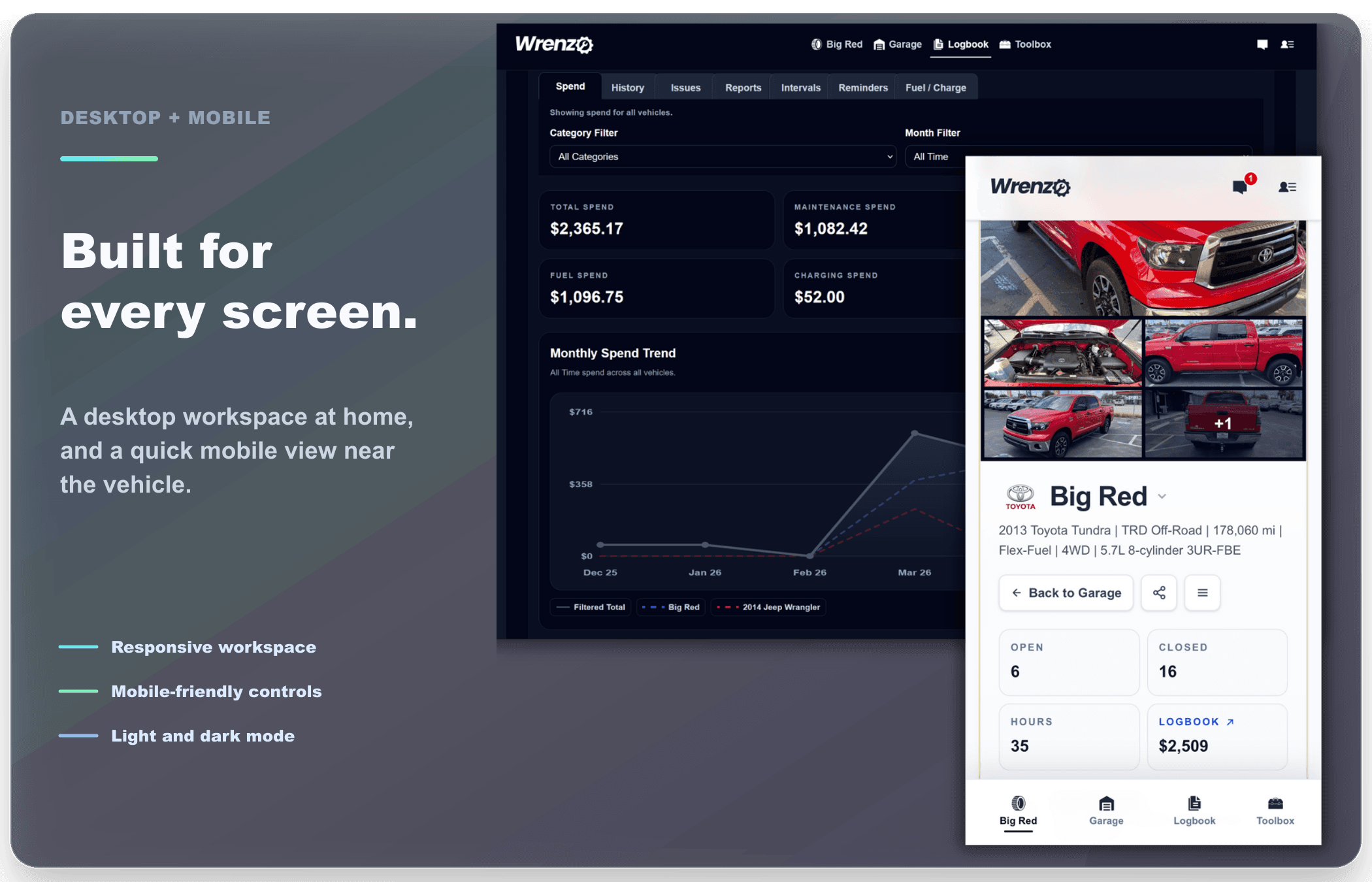
Built For Every Screen
Wrenzo is designed to feel natural on desktop and mobile, whether you are organizing records at home or checking details from your phone near the vehicle.
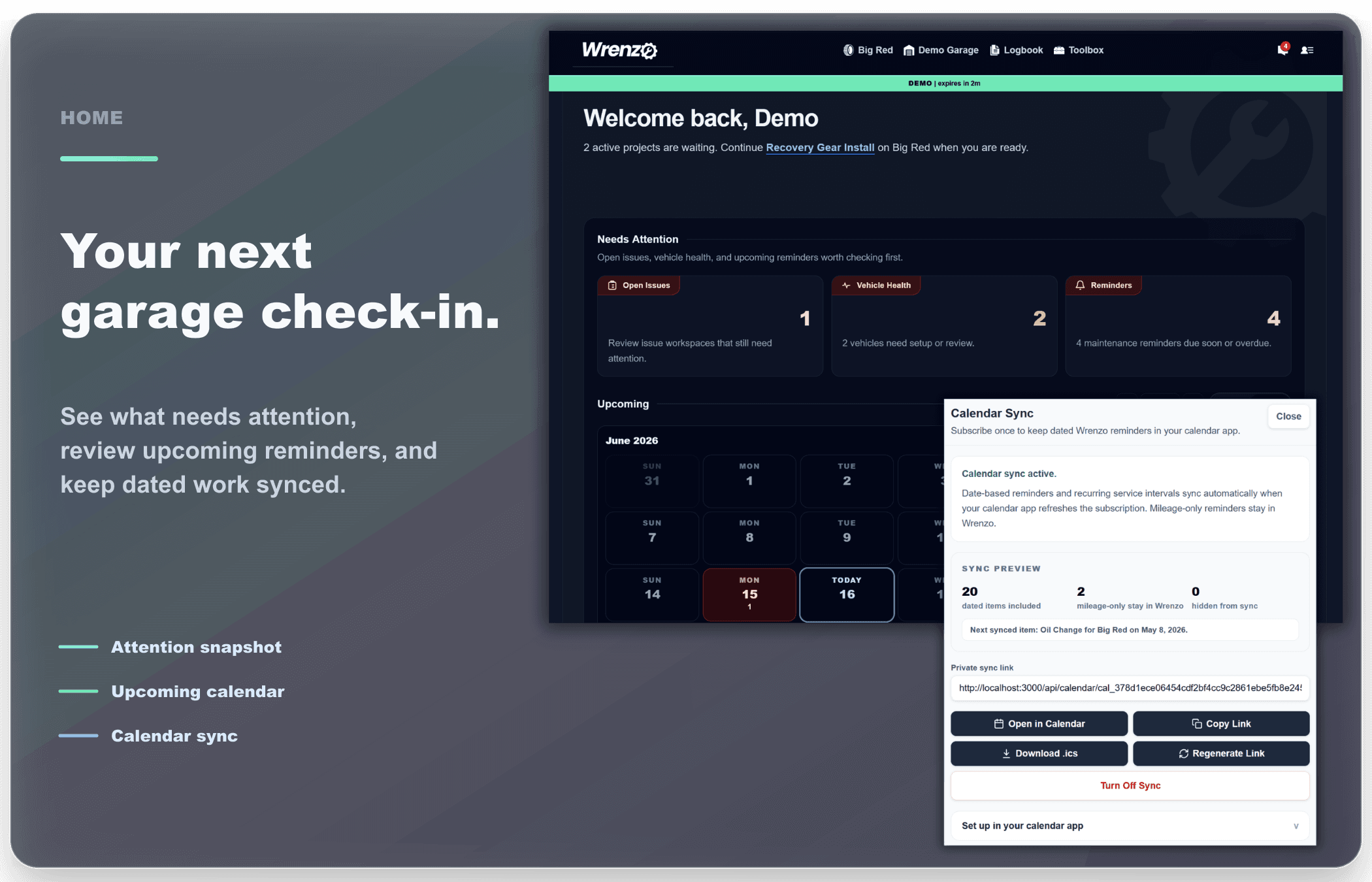
Daily Check-In
The Home dashboard is the quick check-in for the whole garage: open projects, issue and health attention, upcoming reminders, the calendar view, and calendar sync all live together so dated reminders and recurring intervals can follow you outside Wrenzo.
Needs attention snapshot · Open project prompt · Upcoming calendar · Calendar sync · Reminder handoff
Vehicle Garage
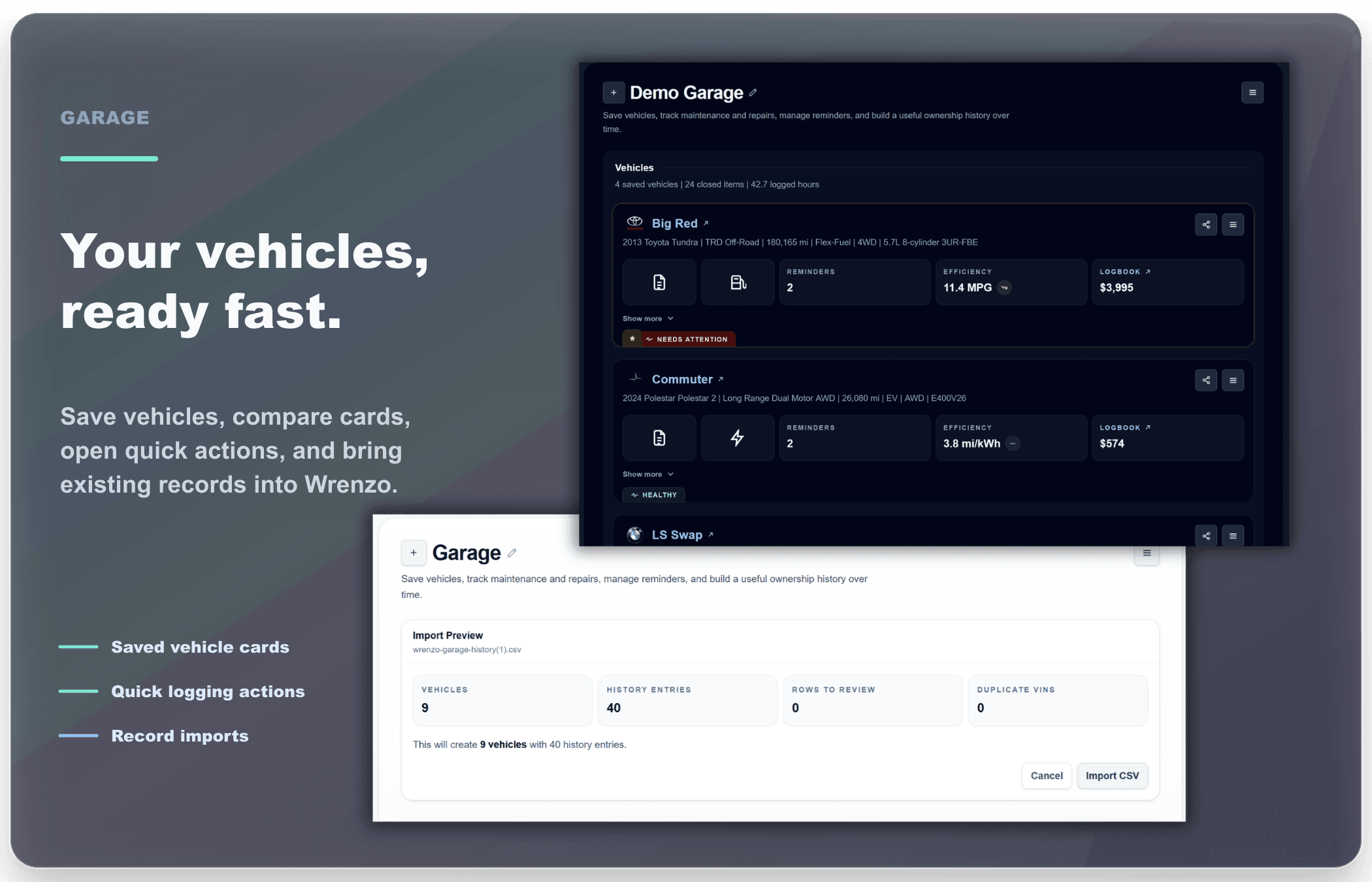
Your Garage is the vehicle list: a fast place to add vehicles, compare cards, open shares or transfer tools, import existing maintenance spreadsheets with smart mapping, and jump into the right vehicle without digging through the full Logbook.
Saved vehicle cards · Health tabs · Quick logging · Share and transfer tools · Smart imports
Vehicle Context
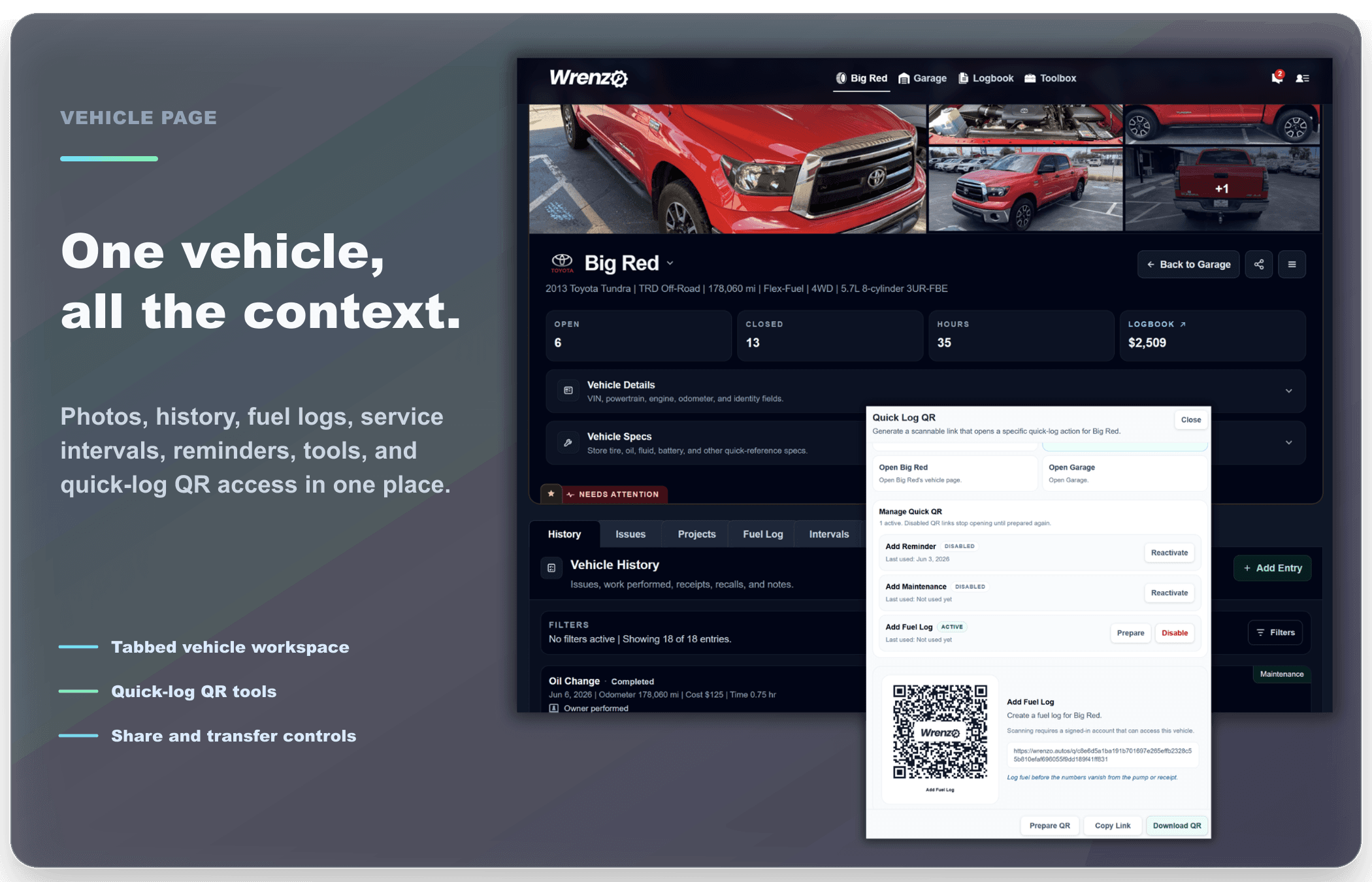
Each vehicle gets its own workspace for history, fuel or charge logs, service intervals, reminders, and tools. It is built for the everyday stuff too: adding maintenance, checking what is due, syncing dated reminders to a calendar, preparing a quick-log QR code, or sharing records when needed.
Tabbed vehicle workspace · Powertrain-aware logs · Intervals and reminders · Calendar sync · QR, share, and transfer tools
Guided Troubleshooting
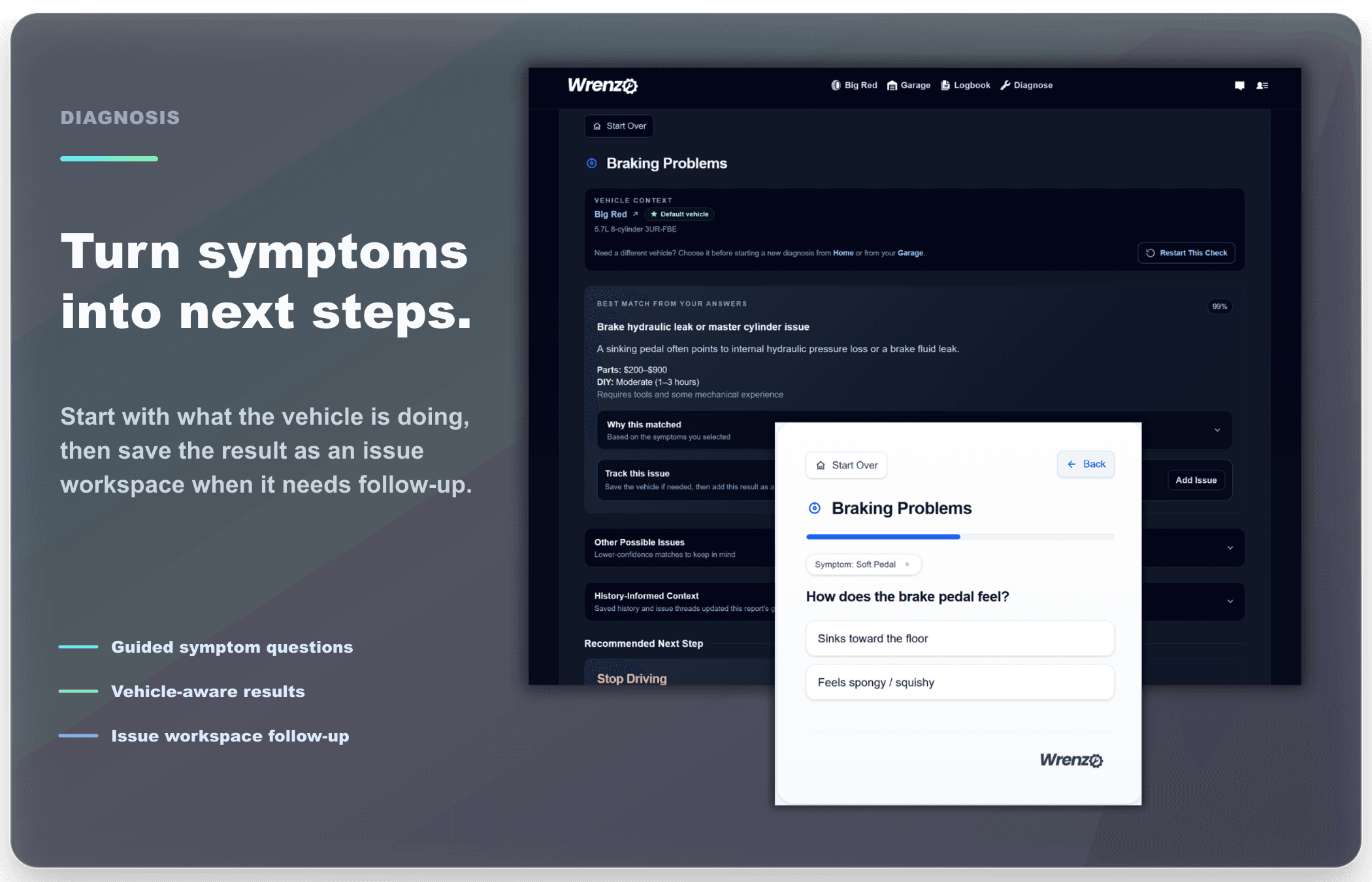
Start with what the vehicle is doing, not a guess at what part failed. Wrenzo turns symptoms and saved scan codes into likely causes, inspection ideas, DIY research links, shop-ready talking points, and relevant NHTSA recall or complaint findings when they are available.
Guided symptom categories · Vehicle-aware results · Scan-code context · NHTSA findings · Shop quote prep
Problem Tracking
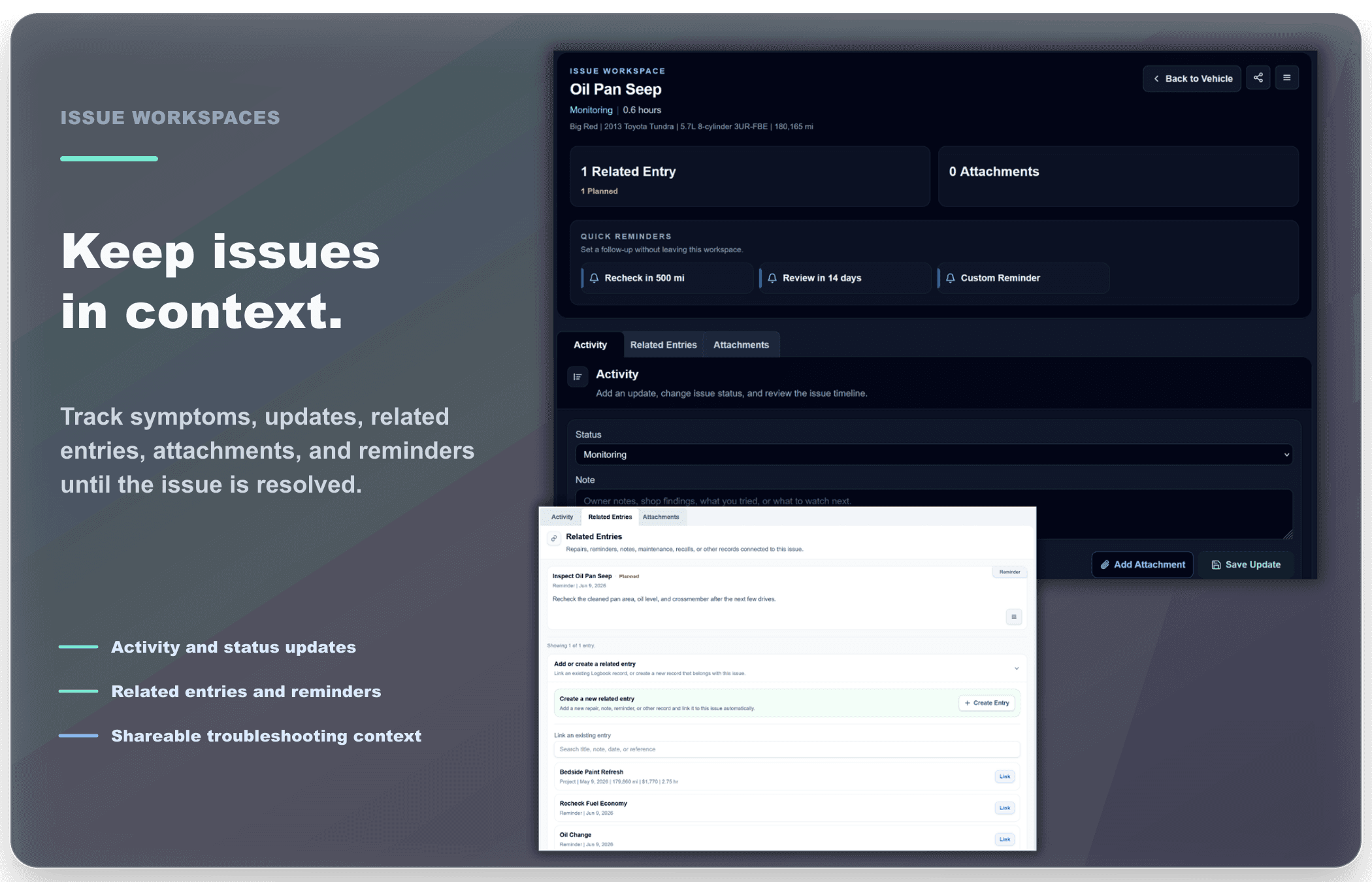
When there is an issue you want to track, Wrenzo can keep the related follow-ups together. Issue workspaces connect the original issue with reminders, scan-code records, repair entries, notes, status updates, attachments, and the final resolution. You can also share a read-only issue workspace when a shop, friend, or online community needs the context. Health snapshots add a quick condition read for each vehicle so open issues, overdue items, and setup gaps are easier to spot.
Open and resolved issues · Scan-code records · Related repairs and reminders · Shareable issue workspaces · Status and notes
Build Planning
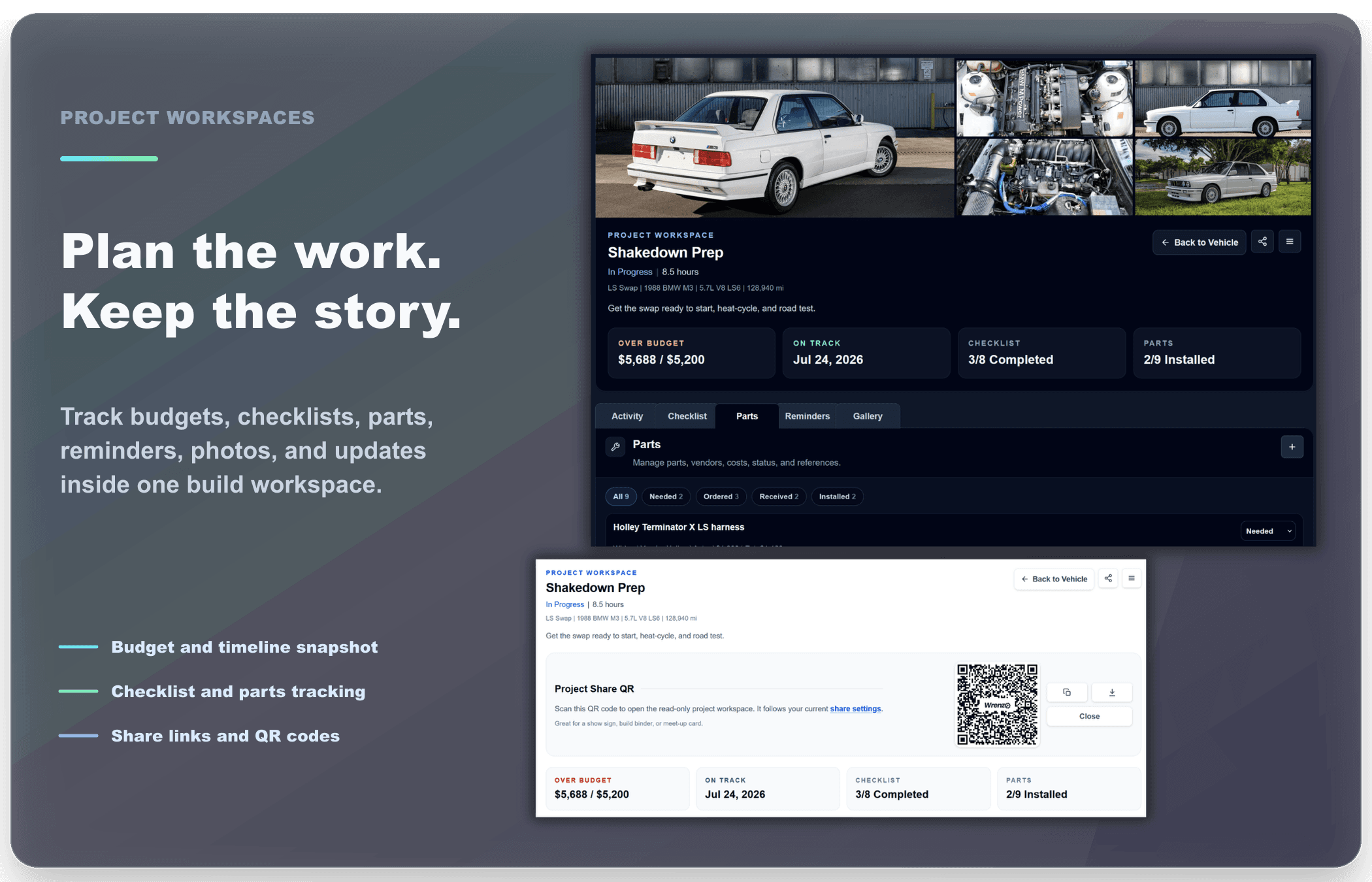
Project workspaces are for longer-running work that is more than a single repair entry: builds, restorations, upgrades, swaps, or major refreshes. Track the goal, budget, target date, checklist, parts, attachments, time spent, and project activity so the plan and the record stay together. When you want to show the work, create a read-only share link or QR code so someone can scan the project workspace from a meet, show, shop visit, or online post.
Build and restoration planning · Checklist and parts tracking · Budget and timeline snapshot · Share links and QR codes · Project gallery and activity
Complete Logbook
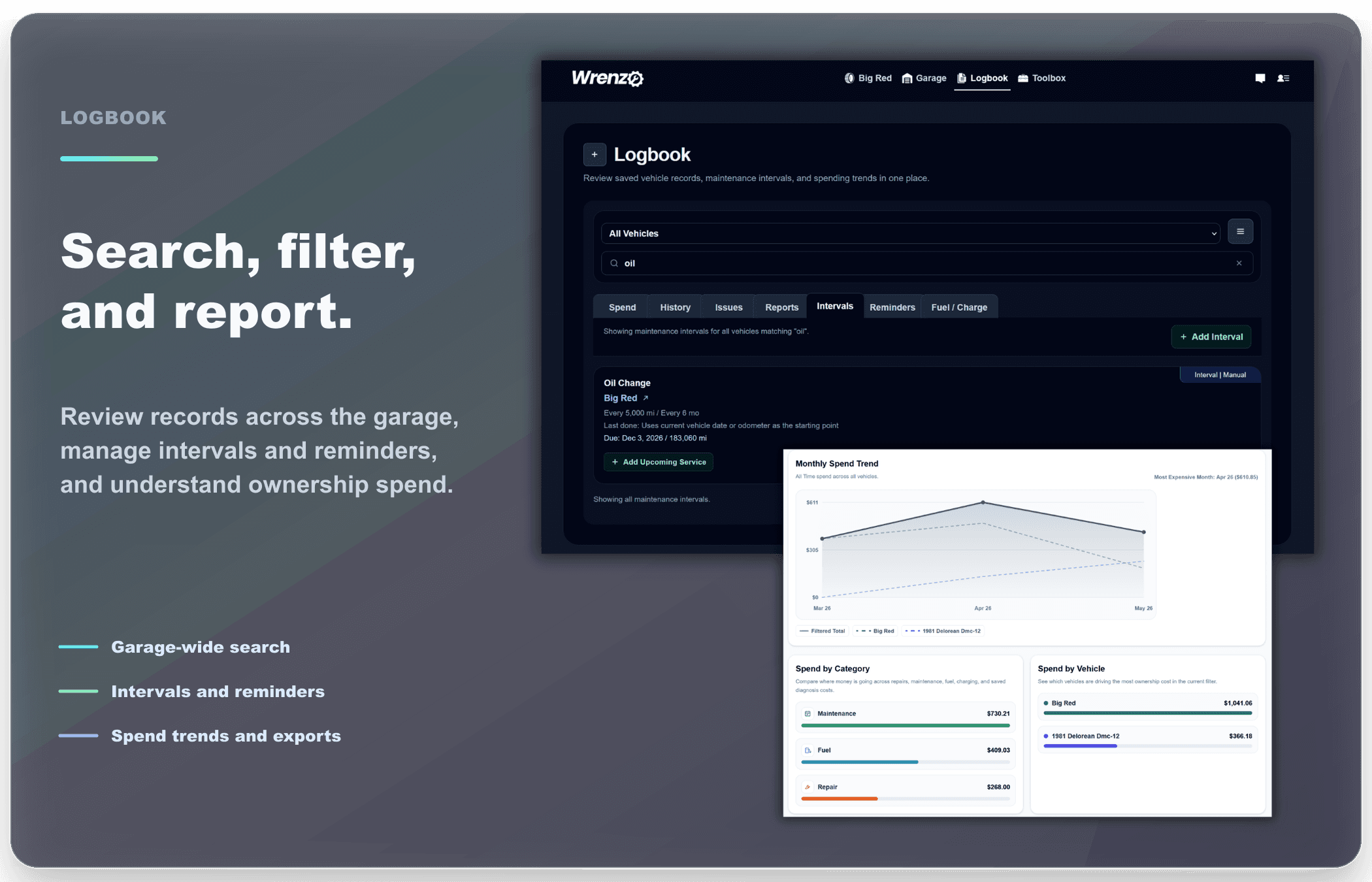
The Logbook brings the whole garage together. Filter by vehicle, review history, inspect reports, manage reminders and intervals, track fuel or charge logs, and understand spend without bouncing between pages.
Vehicle-aware filters · History and reports · Spend overview · Cross-vehicle reminders and intervals
Efficiency Tracking
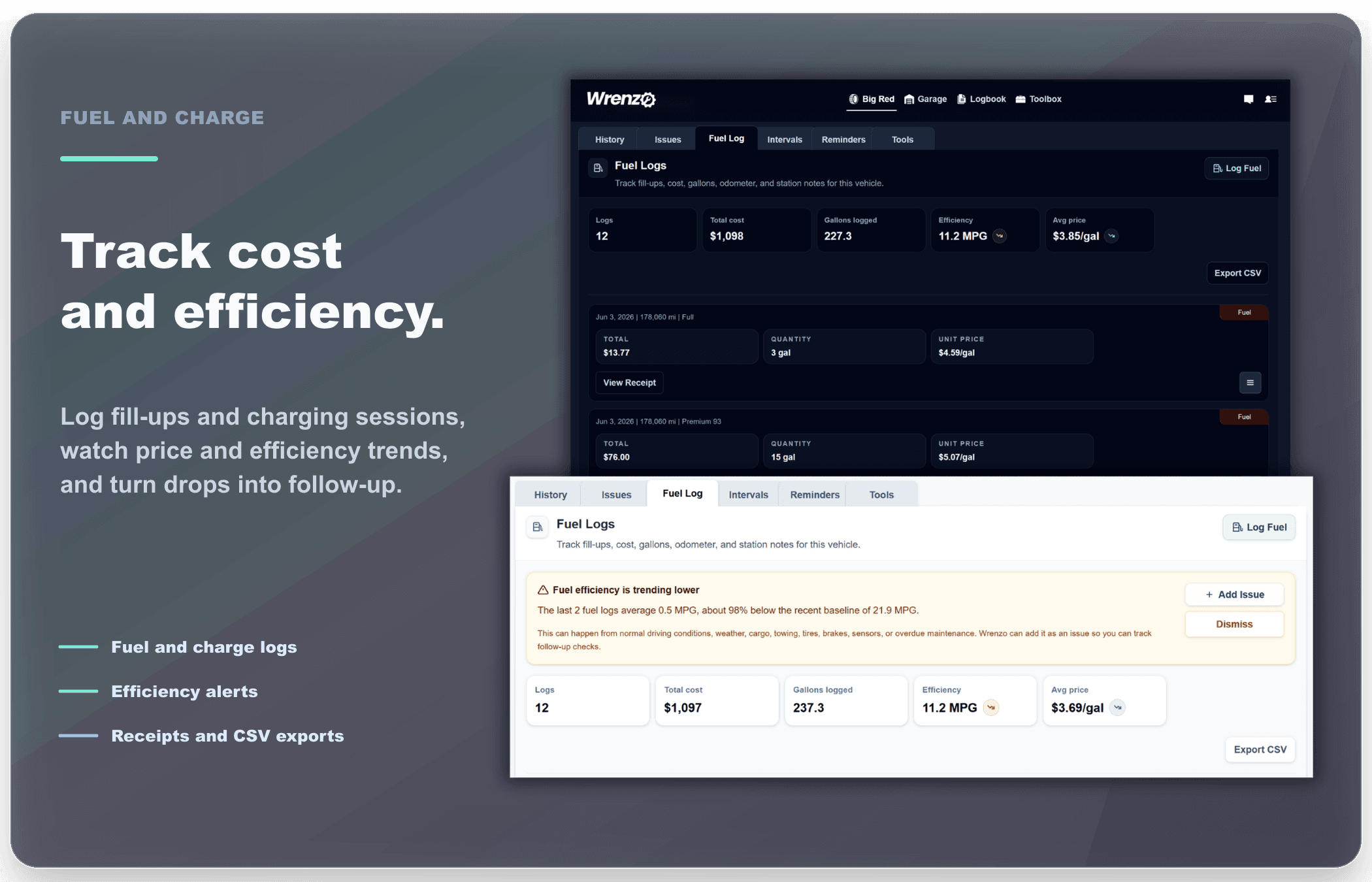
Fuel and charge logs help turn everyday fill-ups and charging sessions into useful ownership context. Track odometer, cost, gallons, liters, kWh, station or charger notes, receipts, and whether a fill was full or partial. Wrenzo can show efficiency and price trends, flag a meaningful drop in recent efficiency, turn that alert into a trackable issue, and keep the data available from Logbook exports when you need it outside the app.
Fuel and charge logs · Efficiency and price trends · Declining efficiency issue prompts · Receipt attachments · Logbook exports
Records Handoff
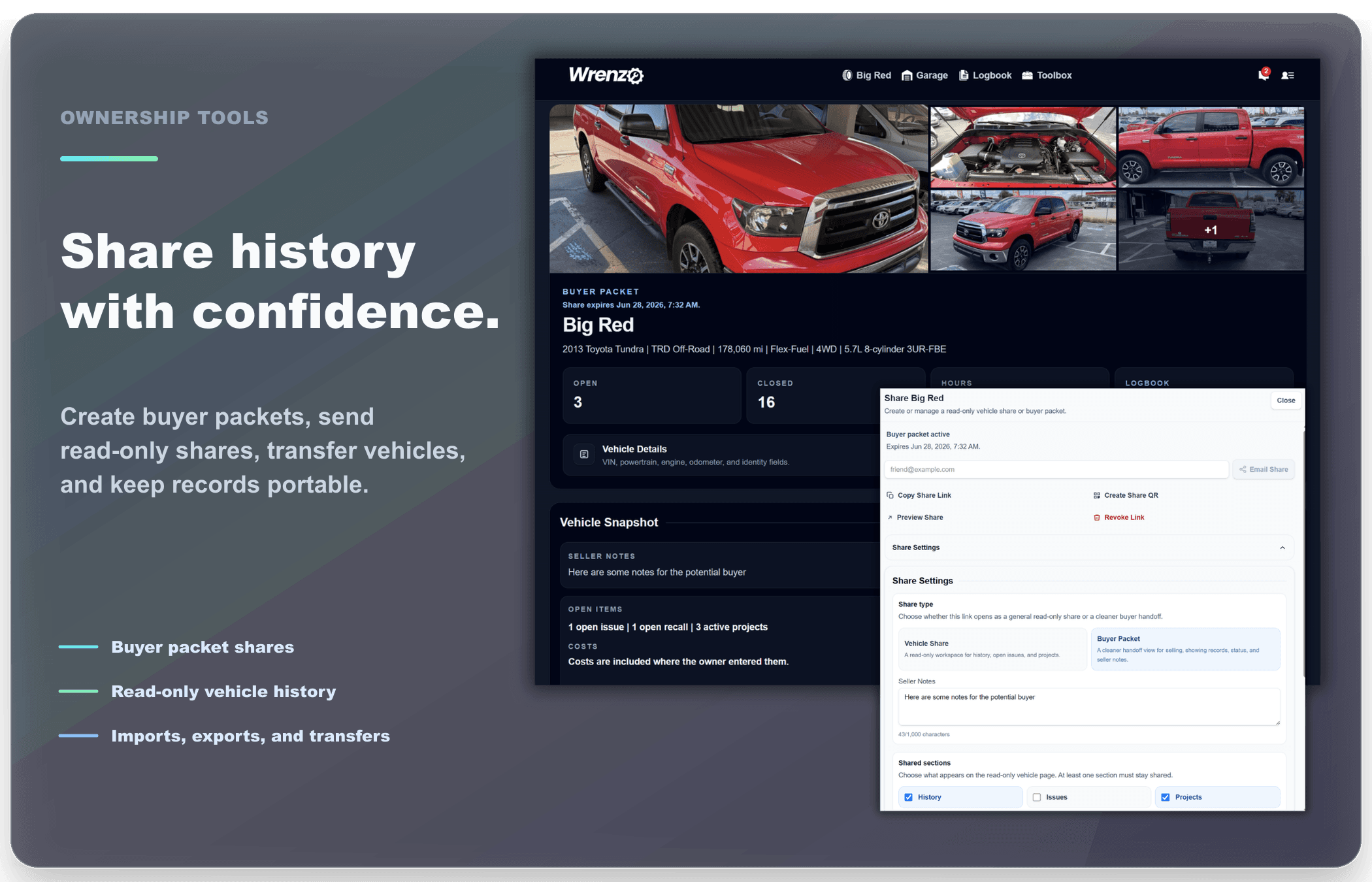
Good records are easier to trust later. Wrenzo keeps smart CSV imports in the Garage, exports in the Logbook, organized attachment downloads in Account Settings, and sharing, buyer/seller packets, bill of sale documents, transfers, and reminder emails close to the vehicle history so records stay useful over time.
Smart CSV imports · Logbook exports · Attachment downloads · Sharing and buyer packets
Parts Shelf
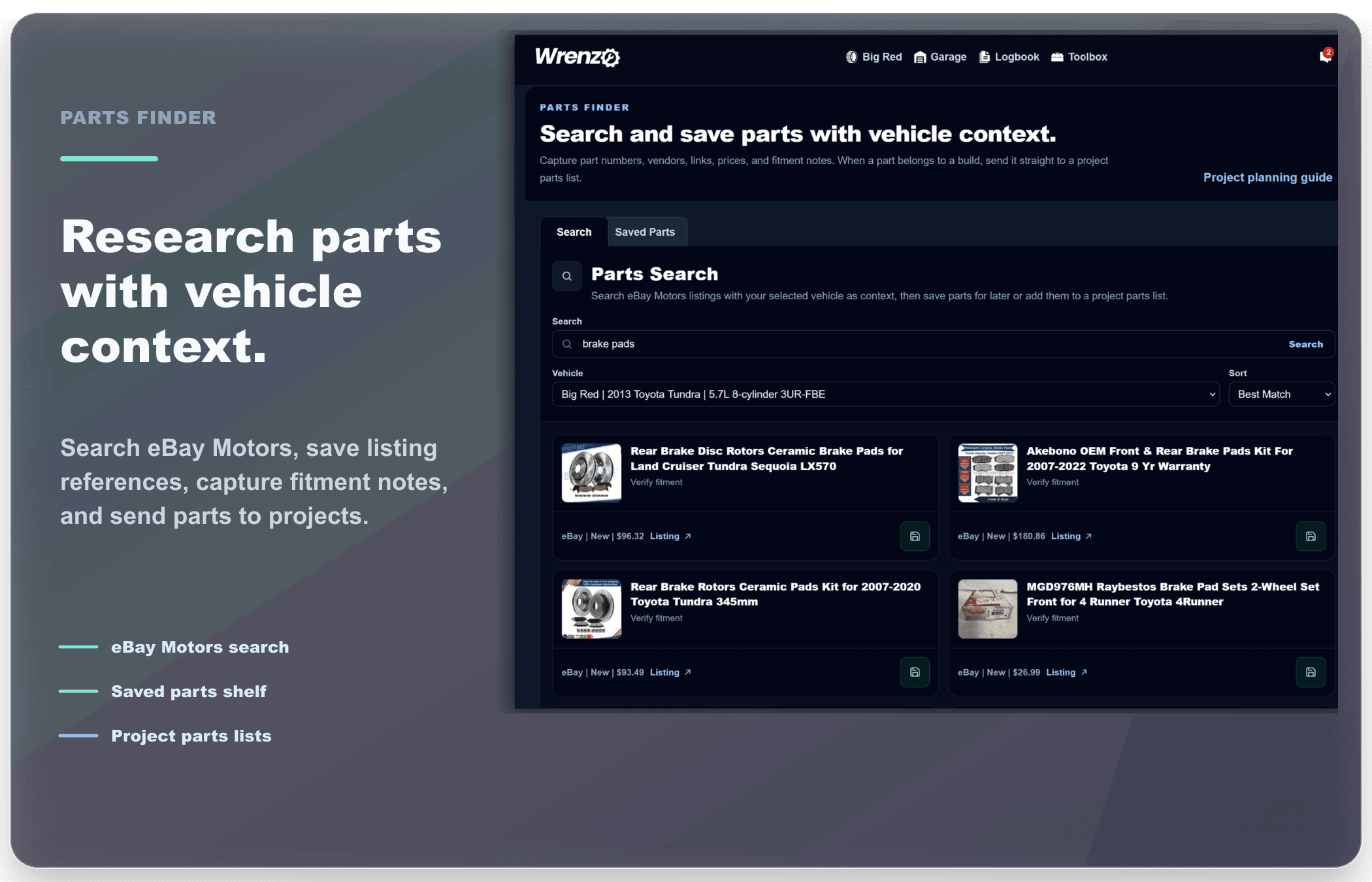
Parts Finder helps organize eBay Motors searches, manual part saves, listing references, prices, part numbers, and fitment notes. When a saved part becomes part of real work, it can move into a project workspace parts list so research, budget, and install status stay together.
eBay Motors search · Saved parts shelf · Fitment notes · Project parts lists
Related Guides
Want the practical side of how these pieces fit together? These guides go deeper on diagnosis follow-up, scan-code tracking, project planning, parts research, fuel and charge logging, buyer packets, and records that stay useful later.
What to track after diagnosis
A practical look at turning symptoms, scan codes, and reports into useful issue history.
Planning vehicle projects
How project workspaces organize builds, upgrades, budgets, parts, checklist work, and shareable QR previews.
Fuel and charge logging
How cost, odometer, receipts, and efficiency trends work together.
Parts research
How Parts Finder keeps saved parts, fitment notes, and project parts lists connected.
Buyer/seller packets
How read-only packets help share useful vehicle history before a sale.