





Keep the issue and repair connected
A car repair tracker is easier to trust when each repair entry can be tied back to the original symptom, diagnosis, scan code, reminder, or issue workspace.
Repair history
Vehicle repair history is most useful when it shows the whole path: the symptom, the inspection, the repair, the receipt, and whether the problem stayed fixed.
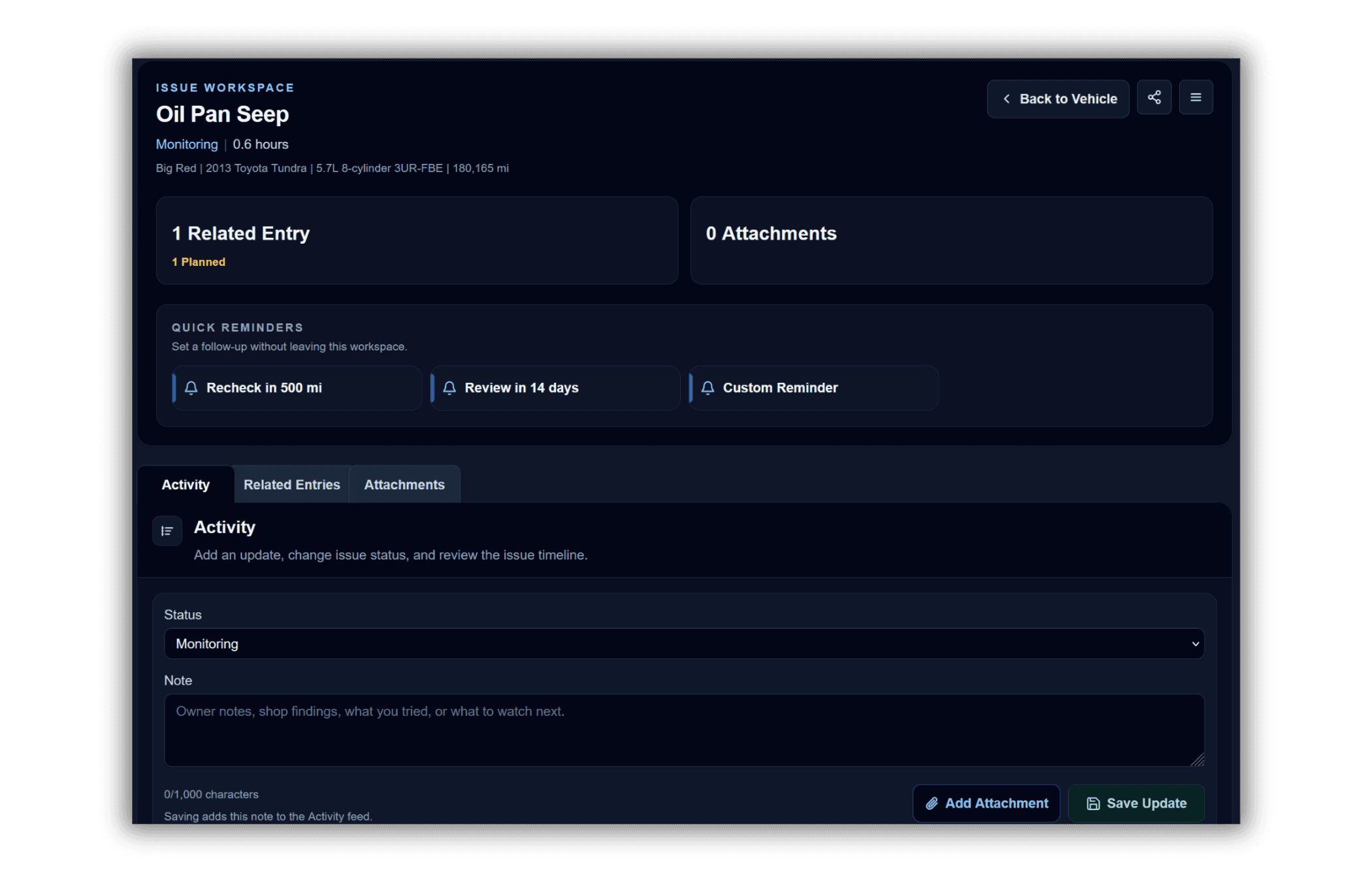
Issue workspaces
Scan codes
Repair entries
Parts and receipts
A car repair tracker is easier to trust when each repair entry can be tied back to the original symptom, diagnosis, scan code, reminder, or issue workspace.
If a symptom returns, the history can show what was already checked, what was replaced, and what still needs inspection.
Issue workspace PDFs and read-only share links help turn the repair history into clear context for a shop visit, second opinion, online troubleshooting thread, or future review.
Step 1
Run a diagnosis or add a known issue manually when you already know what needs attention.
Step 2
Add reminders, scan codes, notes, attachments, shop findings, and repair entries to the issue timeline.
Step 3
When the repair is complete, save the resolution so the history shows how the problem was handled.
What To Track After A Vehicle Diagnosis
After a vehicle diagnosis, track symptoms, scan codes, inspection notes, repairs, reminders, photos, receipts, and follow-ups so the issue does not get lost.
Why Tracking Vehicle Maintenance History Pays Off
Learn why organized vehicle maintenance records help with repairs, resale, diagnosis, scan codes, ownership costs, and long-term confidence.
What Maintenance Records Help When Selling A Car?
See which vehicle records can help a buyer trust the car, including maintenance, repairs, receipts, intervals, issues, recalls, and fuel logs.
Useful repair history includes symptoms, diagnosis notes, scan codes, inspection findings, parts, cost, labor notes, receipts, odometer, and final resolution.
Track each repair with date, odometer, symptom notes, parts, cost, receipts, performed-by details, and any follow-up issue status so repeat problems are easier to review.
Yes. Issue workspaces can stay open in states like monitoring, waiting on parts, at shop, or needs attention.
Yes. Wrenzo can save an issue workspace as a PDF or share a read-only workspace link so related notes, history, and attachments stay together.