




Built around the vehicle
Each entry belongs to a vehicle, so mileage, parts, cost, photos, reminders, and related issues stay connected instead of becoming scattered notes.
Maintenance log app
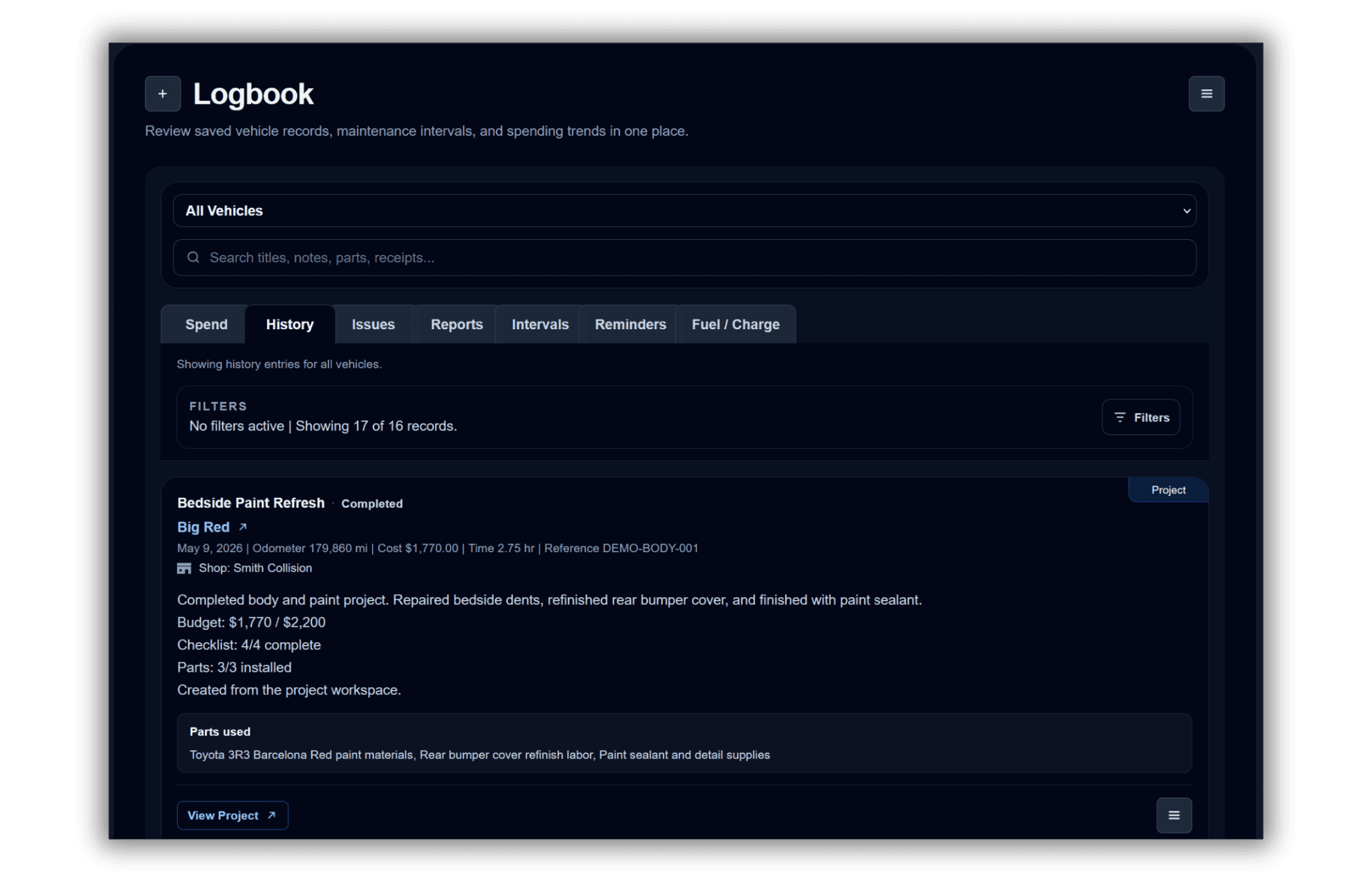
A good maintenance log app should do more than store dates. Wrenzo keeps vehicle maintenance records, repairs, reminders, receipts, fuel or charge logs, issue workspaces, project workspaces, and vehicle context connected so the history is useful later.
Maintenance and repairs
Receipts and attachments
Reminders and intervals
Fuel and charge logs
Each entry belongs to a vehicle, so mileage, parts, cost, photos, reminders, and related issues stay connected instead of becoming scattered notes.
Whether work is done at home or by a shop, Wrenzo helps preserve what happened, what it cost, what parts were used, and what should be checked next.
You can start with a simple maintenance entry, then add more detail only when it matters: receipts, parts, notes, time spent, intervals, or follow-up reminders.
Step 1
Start with year, make, model, odometer, powertrain, and any nickname you actually use.
Step 2
Save maintenance, repairs, notes, parts, cost, time spent, and attachments as the history grows.
Step 3
Use reminders and service intervals so the record does not stop at completed work.
Why Tracking Vehicle Maintenance History Pays Off
Learn why organized vehicle maintenance records help with repairs, resale, diagnosis, scan codes, ownership costs, and long-term confidence.
How Maintenance Reminders Can Prevent Bigger Repairs
Learn how maintenance reminders, service intervals, due dates, and odometer-based reminders help prevent overlooked vehicle care.
Vehicle Maintenance Spreadsheet Or App: What Should You Use?
Compare spreadsheets and vehicle maintenance apps for tracking repairs, reminders, attachments, fuel logs, and ownership records.
Track the date, odometer, service or repair description, cost, parts, receipts, notes, and whether the work created a follow-up reminder.
Yes. Maintenance and repair entries can include symptoms, notes, parts, costs, receipts, performed-by details, and related issue workspaces.
Yes. Wrenzo can attach receipts, photos, documents, and videos to vehicle history entries so proof stays with the right record. Account Settings can also download uploaded attachments as an organized ZIP.
Yes. Wrenzo includes smart CSV import from the Garage and Import Guide. You can use the template or bring an existing Excel, Google Sheets, or shop export CSV. Wrenzo suggests field mappings, previews the records before saving, and keeps CSV exports in the Logbook. Uploaded attachments can be downloaded from Account Settings as an organized ZIP.